UNIGINE SDK 2.21 Release
UNIGINE SDK 2.21 delivers a major step forward for teams building real-time 3D applications — combining powerful new tools, AI-ready workflows, and deep performance optimizations to help you create faster, smarter, and at greater scale.
New Animation System with Visual Logic Editor
One of the key highlights of this release is the completely redesigned animation system. With the introduction of a visual logic editor, building complex animation behaviors becomes faster, clearer, and far more intuitive — reducing reliance on manual scripting while giving teams full control over animation flow.
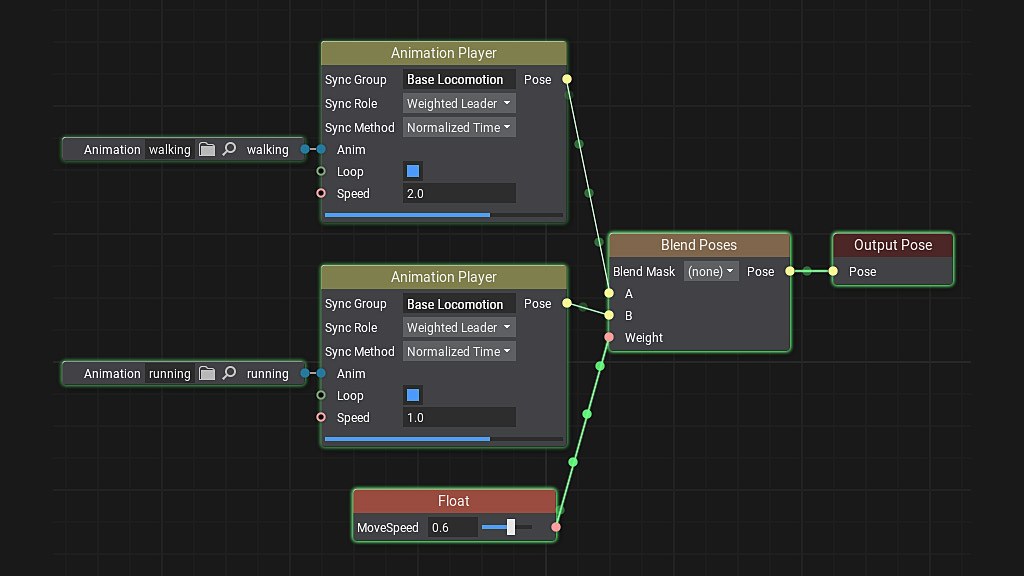
Key features include:
- Visual node-based logic editor for designing animation behaviors
- Modular and reusable animation graphs for scalable setups
- Real-time preview and debugging of animation states
- Flexible blending and state transitions for complex scenarios
- Support for layered animations and hierarchical control
- Tight integration with scene objects and gameplay logic
- Improved performance for large numbers of animated entities
- Clean separation between animation logic and code for better team workflows
Whether you're building interactive simulations or complex character-driven scenes, the new system empowers both engineers and content creators to work faster and with greater confidence.
AI-Ready Workflow Improvements
UNIGINE 2.21 takes a major step toward AI-assisted development with a workflow designed to seamlessly integrate modern AI tools into your production pipeline.
These improvements enable AI agents to better understand UNIGINE’s architecture and API, minimizing common issues such as incorrect assumptions or references to non-existent methods. The result is more accurate outputs, fewer iterations, and a significantly smoother development experience.
Developers can now set up and build UNIGINE-powered applications with the help of AI assistants simply by describing what they need. Backed by a deep, structured understanding of the engine — distilled from official documentation, tutorials, and sample projects — AI tools can generate code, assist with implementation, and accelerate development with far greater reliability.
As an example of AI-powered tools, UNIGINE 2.21 introduces an experimental MCPBridge Editor Plugin, enabling 3D scene editing through simple text prompts — allowing developers to create and modify scenes faster and more intuitively.
Ready-to-Use Industry Templates
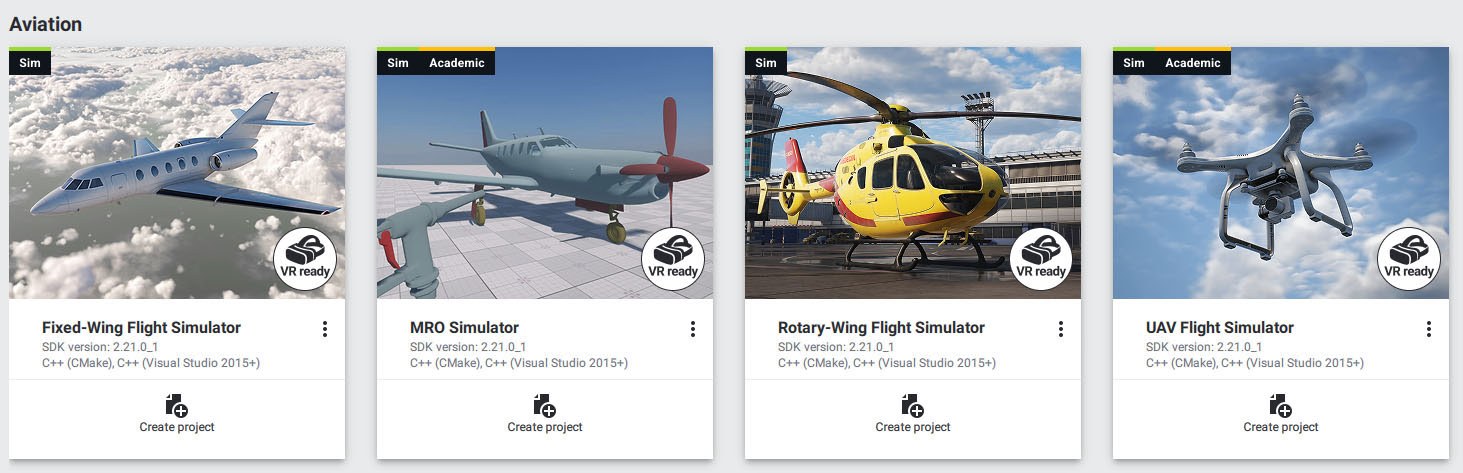
To accelerate project setup in key industries, UNIGINE 2.21 adds a range of new project templates. These include ready-to-use configurations for aviation simulators (fixed-wing, rotary-wing, and UAV), as well as MRO (maintenance, repair, and operations) scenarios in VR. These templates are designed to reduce initial development time and provide a solid foundation for industry-specific applications.
Performance That Keeps Up With Your Ambition
Large-scale projects demand serious performance — and this release delivers.
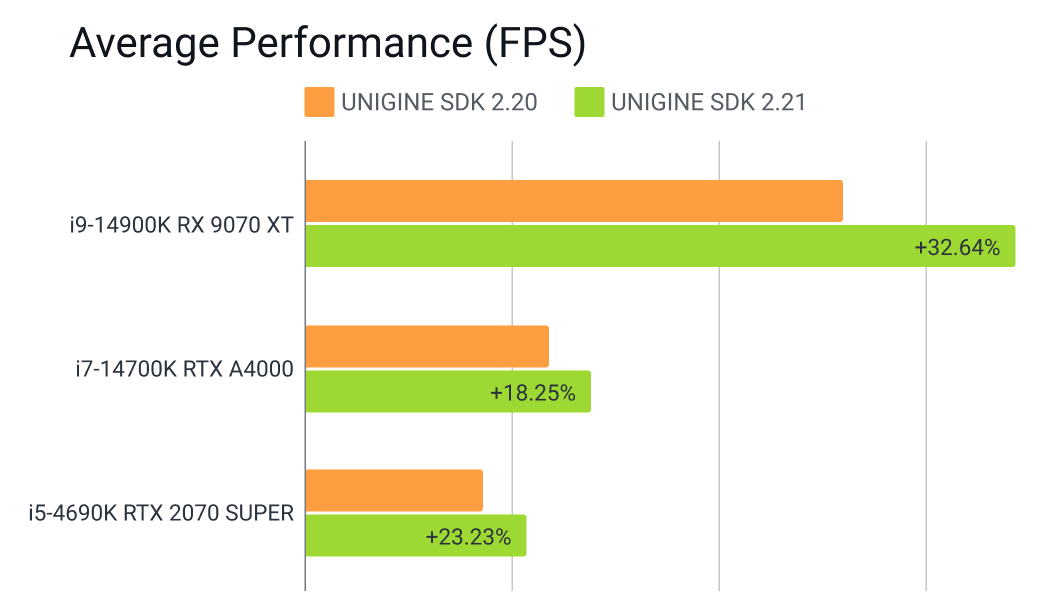
UNIGINE 2.21 brings extensive optimizations across CPU, GPU, RAM, and VRAM usage, along with faster loading times and improved runtime stability. Whether you're building massive geospatial environments or complex training systems, you get consistent, predictable performance.
Clustered rendering further enhances lighting in dense scenes, delivering higher visual fidelity without compromising efficiency.
Faster, Smoother Work in the Editor
Numerous Editor quality-of-life improvements streamline everyday tasks, reduce friction, and help teams stay focused on building — not fighting the tools.
Key changes:
- Faster scene loading, saving, and switching between large projects
- Refined object selection and manipulation (gizmos, snapping, transforms)
- Enhanced hierarchy management for large scenes (better organization and interaction)
- Updated property panels with clearer structure and quicker access to key parameters
- Improved asset workflow: drag-and-drop, instancing, and resource handling
- More responsive Editor UI under heavy scenes and high object counts
- Better handling of large-scale worlds and georeferenced scenes
- Vertex Density Visualizer for analyzing mesh complexity and reducing excessive geometry
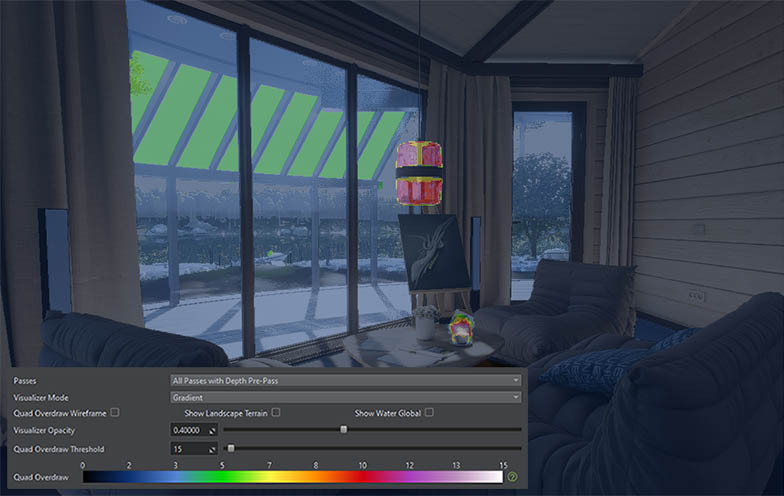
- Quad Overdraw Visualizer for identifying pixel overdraw and optimizing rendering cost
DataBridge: Build Fully Data-Driven Applications
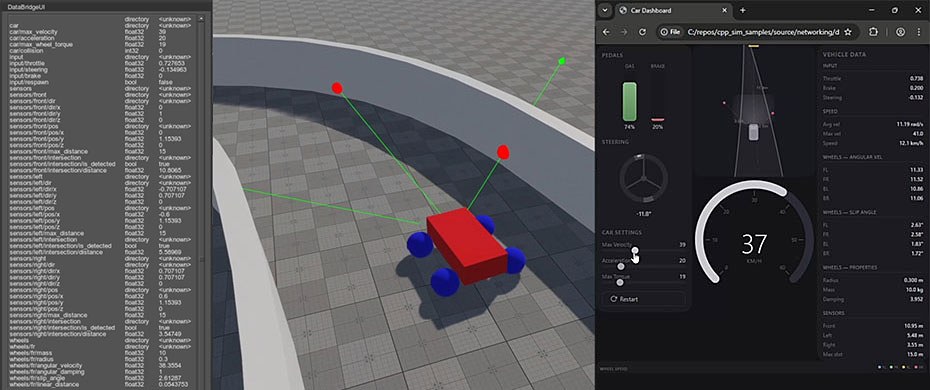
The new DataBridge Plugin unlocks a new level of connectivity for UNIGINE applications — enabling real-time, data-driven interaction between your 3D scene and external systems.
From sensors and robotics controllers to scientific tools, web services, and Python scripts, DataBridge makes it easy to integrate live data into your simulation — making applications more dynamic, interactive, and closer to real-world behavior.
Highlights:
- Real-time data exchange between UNIGINE and external applications via a simple, universal API
- Variable-based data model for sharing and synchronizing named values across multiple instances
- Reliable networking powered by RUDP for ordered, loss-free data delivery
- Flexible architecture with support for Python, C++, C#, and multiple simultaneous clients
- Lightweight REST API for accessing and controlling DataBridge variables via HTTP
- External control of UNIGINE scenes — adjust parameters, trigger logic, and drive scenarios without rebuilding
- Built-in UI for monitoring and inspecting live data in real time
DataBridge streamlines integration with enterprise systems, machine learning pipelines, robotics frameworks, digital twins, and scientific simulations — helping you build smarter, more connected, and scalable 3D applications.
Expanded ROS 2 Capabilities
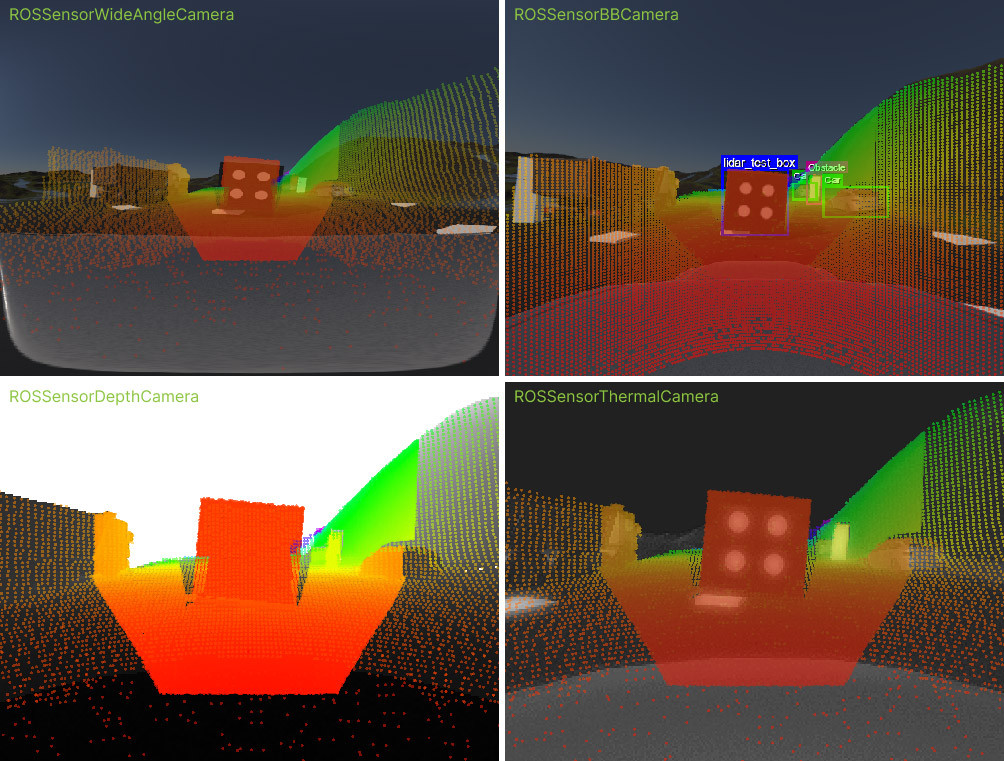
For robotics and autonomy workflows, UNIGINE 2.21 delivers a major ROS 2 upgrade.
With support for Jazzy Jalisco and expanded sensor capabilities, you can build more accurate, scalable, and production-ready simulation environments for testing, training, and validation.
For robotics and simulation workflows, the ROS 2 integration has been significantly updated, now supporting Jazzy Jalisco and offering expanded sensor capabilities. This makes UNIGINE an even stronger platform for robotics development, testing, and validation.
New SDK Editions for Growing Teams
UNIGINE 2.21 introduces new SDK editions tailored to different audiences.
- The Entertainment edition is designed for commercial studios in game development, visualization, XR, and creative industries, offering professional support and no revenue restrictions.
- The Academic Research edition provides advanced features and extended support for universities and research labs working on cutting-edge projects.

Other Notable Improvements
- Enhanced Gaussian Splatting support for improved rendering of complex scanned data
- New plugins introduced: video-to-texture playback, built-in PDF viewer, and SQL database connector
- Rendering upgrades, including bindless textures, improved water system, and refined tonemapping
- Added support for C# coroutines to simplify asynchronous logic
- CAVE support integrated into the SpiderVision configurator
- Major IG cleanup, with the weather system moved into a dedicated plugin
- WebStream plugin improvements: engine plugin separated from the web server, plus expanded streaming configuration options (bitrate, codec, protocol)
Overall, UNIGINE 2.21 marks a significant step forward — delivering greater performance, flexibility, and seamless integration with modern development workflows across simulation, visualization, and beyond.
For more changes and technical details please see our devlog.